怎么锁定免费turbotax premier online,这次不发图片了,太麻烦,大家抄作业就行
-
你如果在这页面看到5刀的premier download version,就说明你操作目前正确。点右上角sign up
-
点 Let’s go, “I sold stock”, continue, “I’m comfortable”, continue, “file for 0”, sounds good
-
Finish the pages “We’ll start by getting to know you”, continue, “How did you do your taxes last year?”, pick whatever fits your case, pick Good, Continue
-
“Tell us about your year”, pick whatever fits you, Did you have any of these things in 2022? pick whatever is relevant, Continue, Continue, “You’re off to a great start,” Great, keep going, “Limit offers you receive to only what you need”, sign and date and I agree.
-
You will be taken to the home screen where it says “We need a few more detials about you”, click “File” on the left
-
“We need a little more info”, complete my return, fill out “Your personal info” page, continue,“Let’s find the right filing status for you”, pick what fits you, continue, “Do you have children or support another person?” , pick yes or no, “Enter your current mailing address” fill out your real address, continue, “Stay informed with SMS updates”, continue, “Let’s check your phone number”, I skip, Yes I want to skip, “Did you make money in any other states” pick whichever, continue. Note: if you want to do multi state, this is where you select your other states.
-
“Your filing status” , continue, “Personal info summary”, continue, “Get year-round protection
with MAX benefits” , not now. -
You will see “Let’s talk about your income next” , do not continue, go to the left sidebar and click “State Taxes” on the left, then “Your state Returns”
-
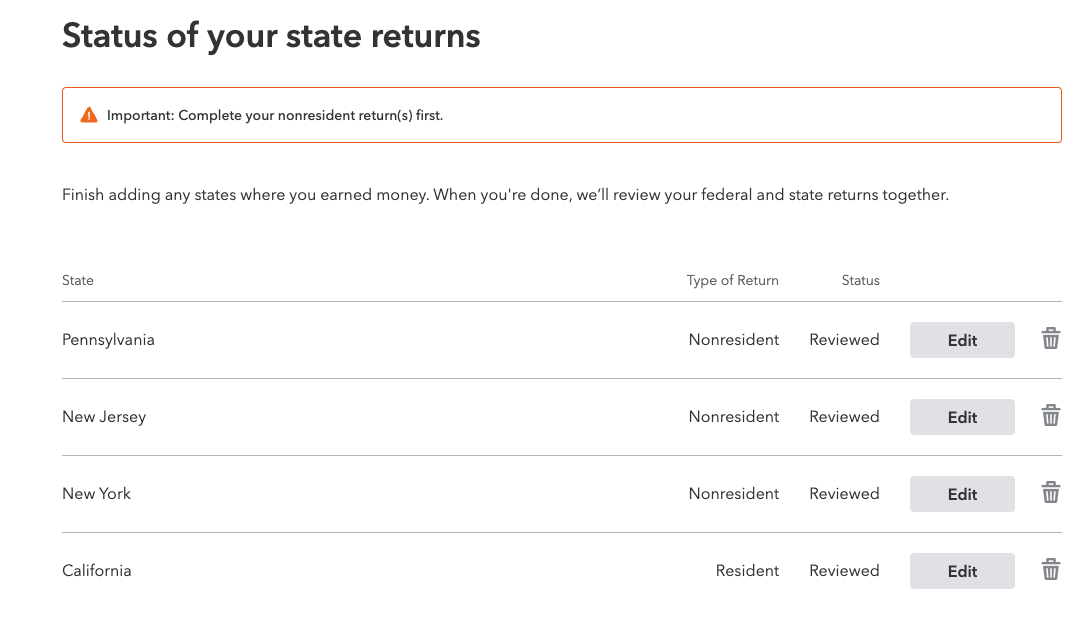
You will see all the states you added, you need to click on the “Start” next to each state, proceed as far as you can, then click “State Review”, they should say “Reviewed” or “Started”
-
Click on File on the left, start, “step 1. review your order” , click Start, if it says “We need more information for your order”, just click “Go to My Info” and add that info, go back to the File section on the left
-
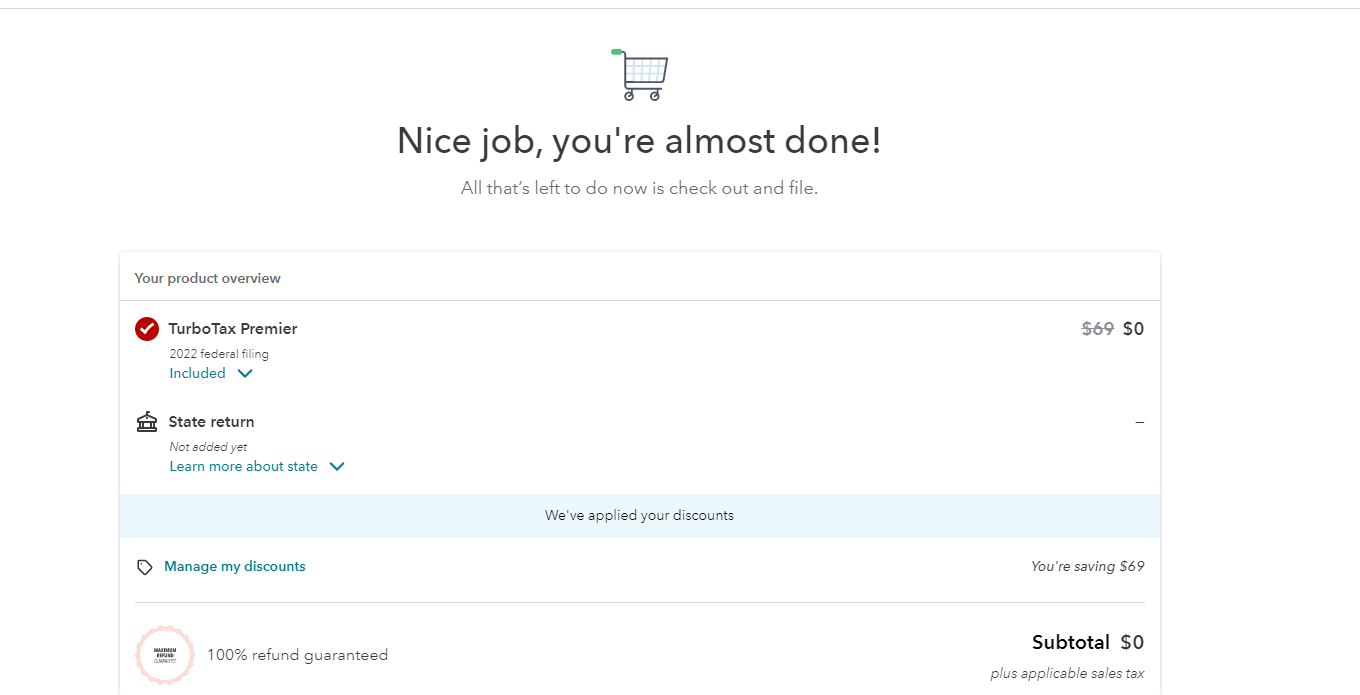
You will see “Nice job, you’re almost done!” , screenshot below with 0 cost, make sure all the states are included. click “Continue,” , click “Place Order”, you will see “Your order has been completed”
Example where you didn’t successfully start any state returns, meaning you will have to pay for those later. 意思就是你的州不是免费的,把你踢回step 11 再读一遍
Example where you successfully started 4 state returns and they are included for free at checkout.意思就是你成功加了免费的州,现在你只要continue,place order,就会看到 “Your order has been completed”,你就稳了,他们不能claw back了
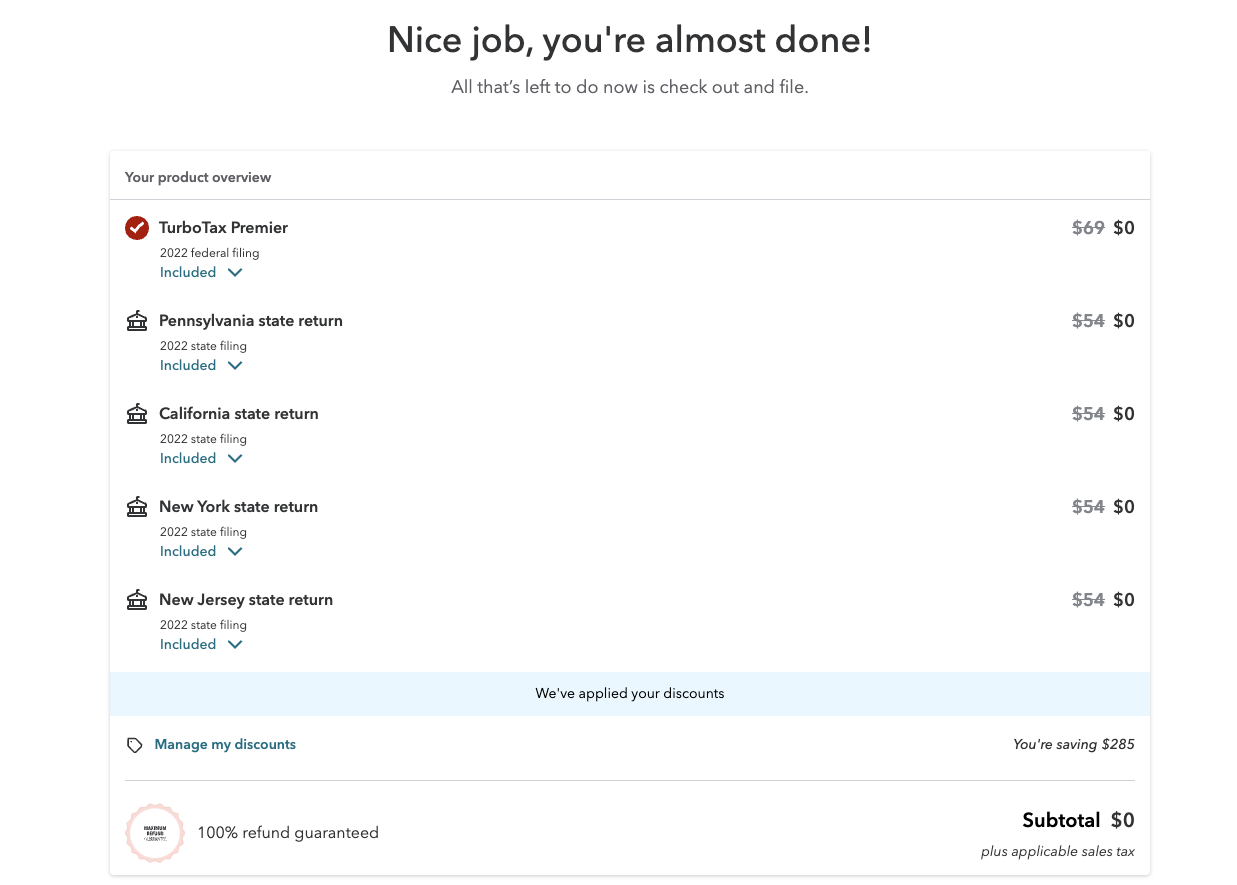
The goal here is to check out the premier federal and state returns for $0, complete checkout, then fill in the info when your W2 and other forms arrive later. Lock in the $0 now.
不想用web version 想买$5的直接参考这步骤 2022 Fidelity又送免费TurboTax啦(已死) - #163 by divinebaboon 然后购买