By popular request, from my last thread on this topic ( https://www.uscardforum.com/t/topic/475986/14 )
(本来放在性爱,但想了想,也可以做其他东西,所以换到学术。Mod不允许可以换回去).
Step 0:
假如你有时间,还是建议看完这个tutorial https://www.youtube.com/watch?v=HkoRkNLWQzY,它的确很长,但 watching it fully will help you understand what you’re doing much more, and allow you to do your own exploration and try new things
Step 1:
Download ComfyUI-Easy-Install from GitHub: GitHub - Tavris1/ComfyUI-Easy-Install: Portable ComfyUI for Windows, macOS and Linux 🔹 Nvidia GPUs 🔹 Pixaroma Community Edition 🔹
(direct link to the current latest version: https://github.com/Tavris1/ComfyUI-Easy-Install/releases/download/2.01.12/ComfyUI-Easy-Install.zip)
Step 2:
Extract to a folder of your choice. 建议放在至少有1TB free space 的SSD,越快越好。
Step 3:
Run ComfyUI-Easy-Install.bat。假如有 Git not found error,先安装 winget,see Use WinGet to install and manage applications | Microsoft Learn
Step 4:
(optional if you want to download models that can generate NSFW images)
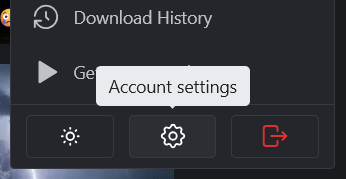
While ComfyUI is installing, go to https://civitai.com/ . Register an account, and then click your name in the upper right, and then select account settings:
Under “Content Moderation”, enable everything:

Step 5:
ComfyUI-Easy-Install.bat 完了会在 Desktop create “ComfyUI-EZi” shortcut. Open that shortcut. A console window will open and eventually start a local server, and then it will open your browser window to connect to that local server. This is the main interface:

Step 6:
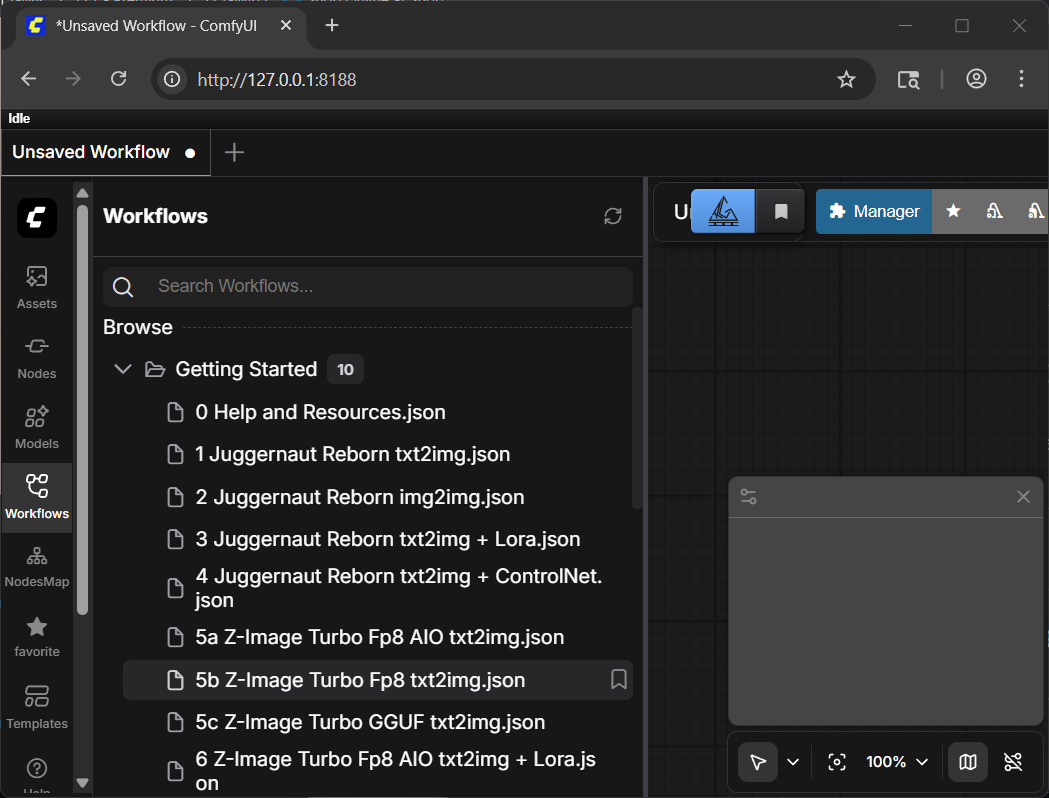
Click “Workflow” on the left panel, and then expand “Getting Started”. Click on “5b Z-Image Turbo Fp8 text2img.json”
Step 7:
This is the main workflow you’ll be using. Use your mouse wheel to zoom in and out. Click and drag an empty area to pan.
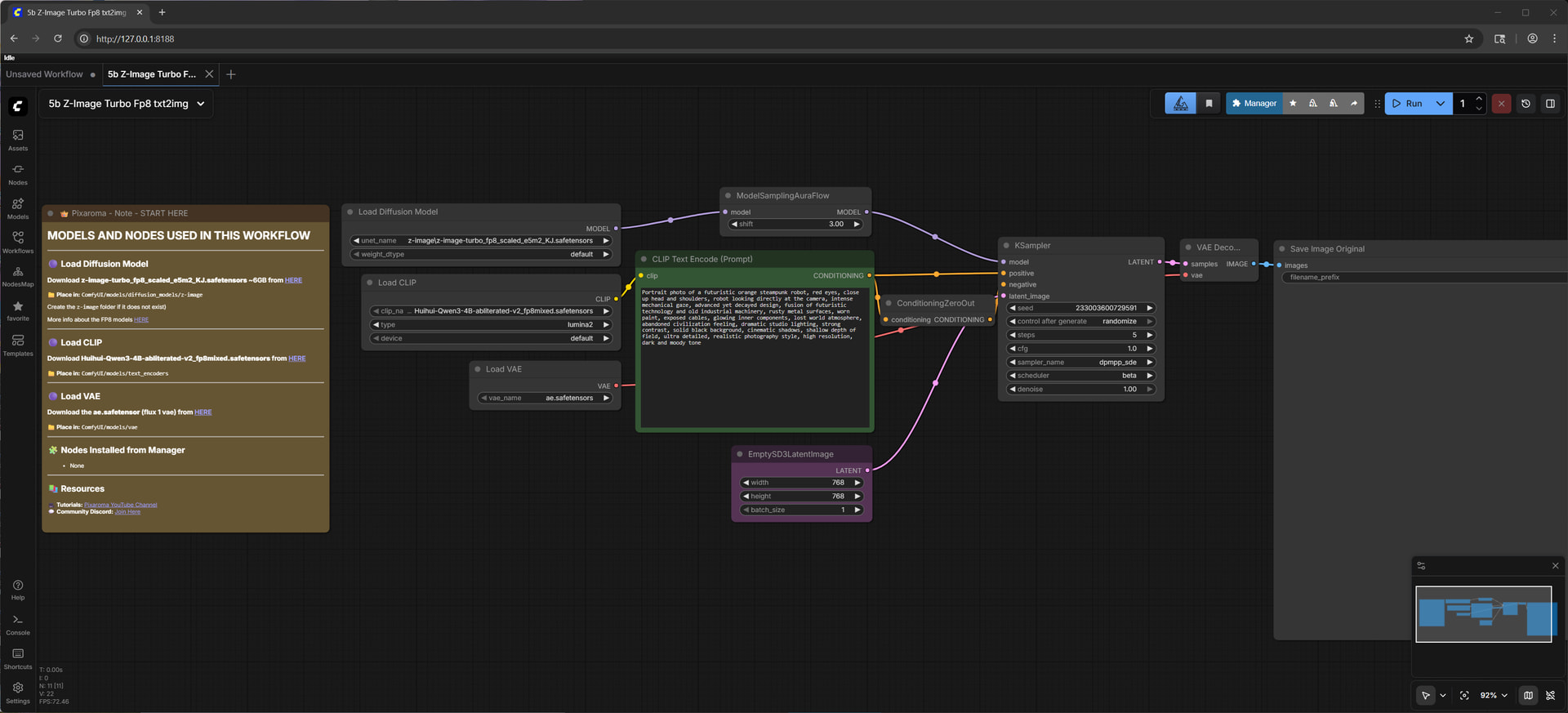
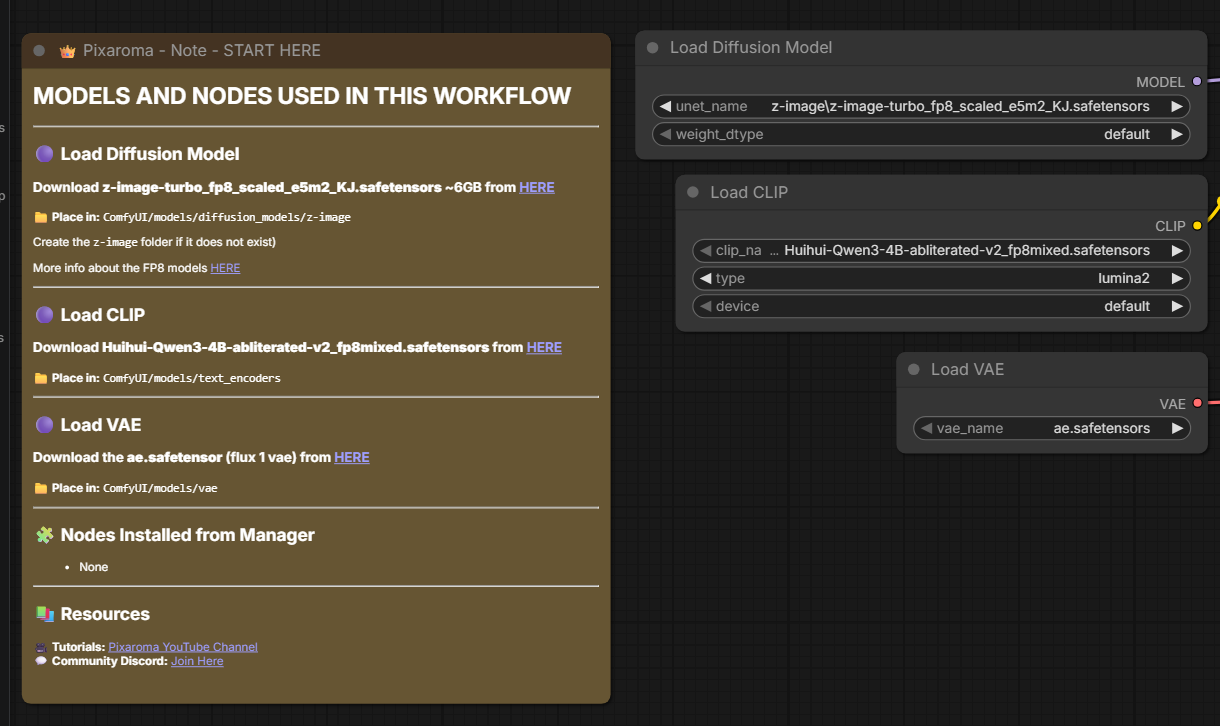
这个 workflow 需要 3 个 model,一个 image generation,一个 text encoding,和一个 latent space conversion。
Follow the links in the note on the very left to download an abliterated (uncensored) Qwen3 model as the text encoder (CLIP). Be sure to place it in the correct subdirectory under your ComfyUI install folder. Also download the place the latest space converter (VAE). See the full tutorial video for details on what this means.
Step 8:
For the main image generation model, you can either use the suggested model, or download a more flexible one (a model that can generate NSFW) from Civitai.
If you want a more flexible model, go to the Civitai home page, click Models:
And then on the right, filter for the most downloaded Z Image Turbo checkpoints recently:
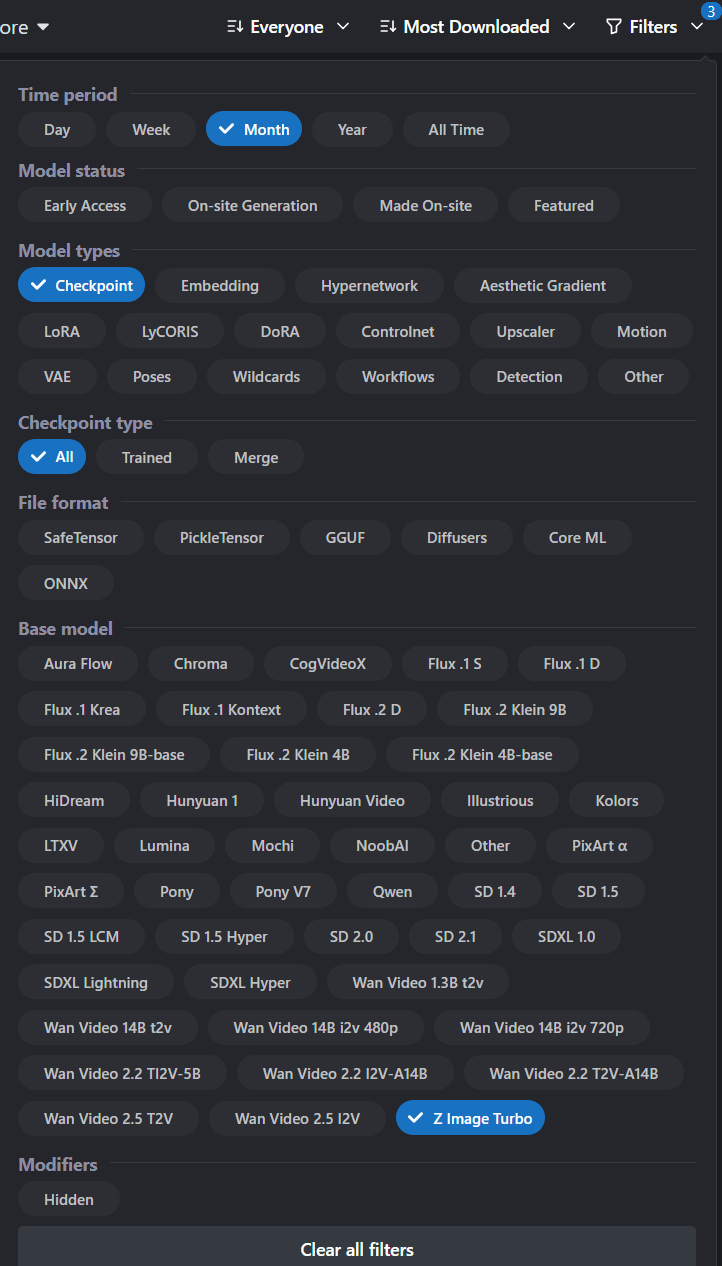
(results will be NSFW)
Choose one that you like. Choose a fp8 model if you have less than 12-16GB VRAM. Choose a fp16 model (if a model does not have a fp8 label, it’s probably fp16) if you have 12-16GB VRAM or more.
For this example I’ll choose “Moody Porn Mix” ZIT-V6. But you can try other ones.
Moody Porn Mix - ZIT-V6 | ZImageTurbo Checkpoint | Civitai (NSFW link)
Download and put the model’s safetensors file in ComfyUI/models/diffusion_models/z-image
Step 9:
Go back to your browser window with the ComfyUI workflow open. Press F5 on your browser to reload the page. Now click on the model name field in the “Load Diffusion Model” and (optional) click again to select the Moody Porn Mix model instead of the pre-filled default:

CLIP and VAE should already be correct.
The “Empty Latent” box adjusts the resolution of the output:
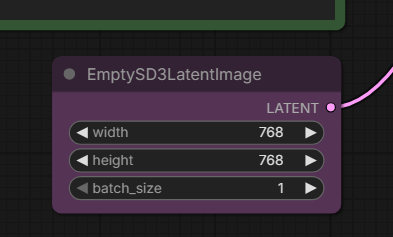
There’s no real need to go above 1024x1024 because you can add an upscaler to your workflow that’s much more efficient than generating a higher resolution image from the diffuser model.
Click run in the top right.
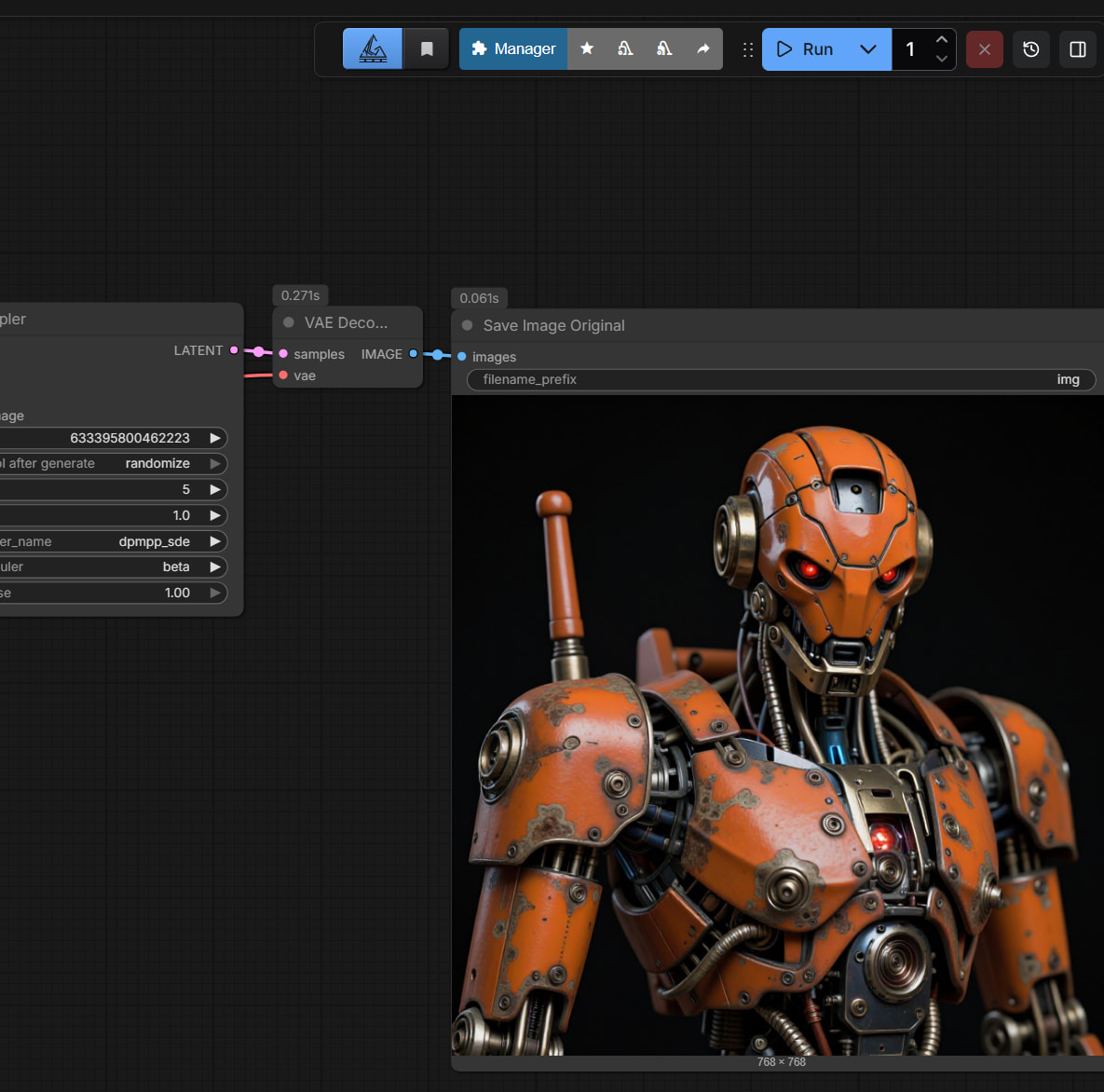
If everything worked correctly, the model will output a red robot, the default prompt for this sample workflow.
Step 10:
现在总算有点意思了。Change the prompt to something better and click run again. 中文英文都可以。可以用其它LLM帮你写prompt。
比如:
Photorealistic, detailed image of a woman, age 20, petite, skinny, with long hair, black hair, twin tails, east asian features, innocent looking, very cute, brown eyes, raised inner eyebrows, standing outside in an urban alleyway at night. she’s taking off her top. she’s wearing tight pink shorts, a tight black crop shirt, showing her midriff. she’s facing the viewer. use rim light, dramatic shadow, detailed skin, detailed eyes.
Output:
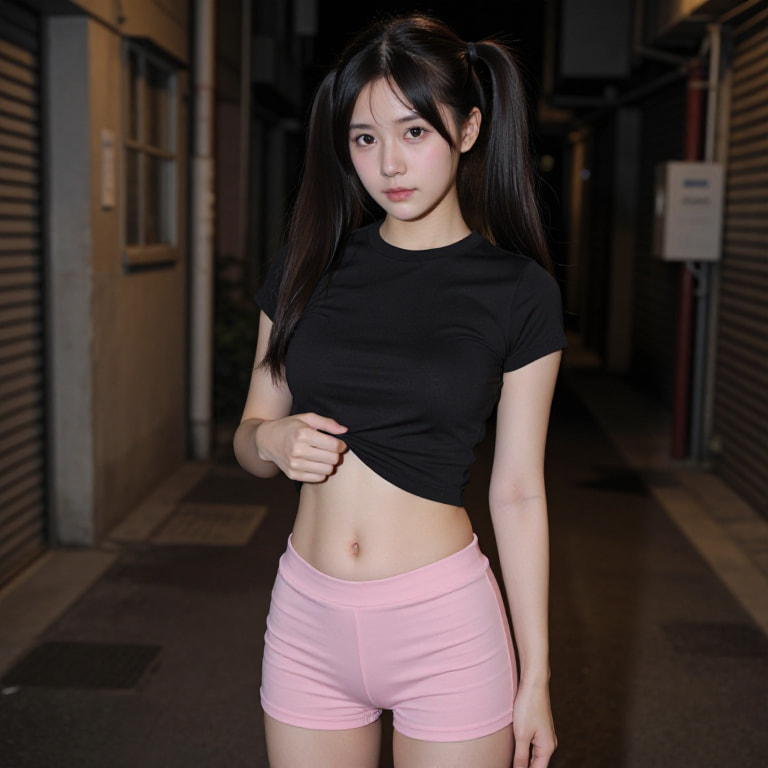
(If you download and drag this image into a ComfyUI browser window, you will load the workflow and prompt, which are saved as metadata in generated images by default. You can download any image from Civitai and load it into ComfyUI to see how it was generated.)
The more specific you are, the more detailed the image will be. 这个 image model 很好,可以incorporate text in output with very high fidelity。再来一个:
photo of a woman, age 20, petite, skinny, with long hair, dyed platinum hair, innocent looking, very cute, east asian features, alluring, brown eyes, big eyes, raised inner eyebrows. she’s sitting on a pink bed in a in a highrise. city lights are visible outside through a window on the left. on the right is a table with a computer monitor. the monitor is displaying the large characters “美卡论坛” in a browser window with a dark gray background. she’s wearing white sweatpants and a tight white crop shirt and showing off her midriff. her hands are behind her head. she has large breasts. she’s sitting facing the viewer with her legs wide open. she has an innocent open mouth smile. use rim light, dramatic shadow, detailed skin, detailed eyes.
Output:

Step 10:
By default, the seed changes every generation, so the features will be different. If you are very specific in your prompt, the output will be more similar. However, if you have an output you really like, you can also try keeping the seed the same and only change the prompt. You can adjust seed settings by clicking on “control after generate” in the KSampler box:
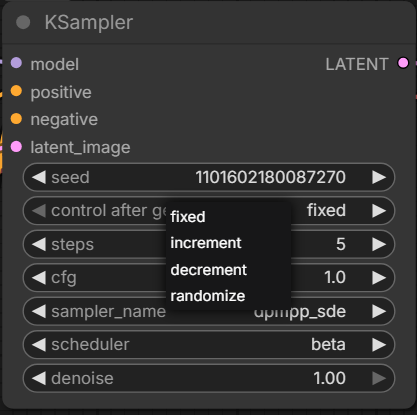
So if we like a particular result and want to do more with it, we can fix the seed and change the prompt. But we can also use a more detailed prompt to try to keep features similar, and let the seed continue to change for the outcome to be more creative.
Let’s continue to develop this prompt:
photo of a woman, age 20, petite, skinny, with long hair, dyed platinum hair, innocent looking, very cute, east asian features, alluring, brown eyes, big eyes, raised inner eyebrows. she’s sitting on a pink bed in a in a highrise. city lights are visible outside through a window on the left. on the right is a table with a computer monitor. the monitor is displaying the large characters “美卡论坛” in a browser window with a dark gray background. she’s wearing is wearing pink lace panties and a tight white crop shirt and showing off her midriff. she is taking off her top, flashing her bare breasts. she has large breasts. she’s sitting facing the viewer with her legs wide open. she has an innocent open mouth smile. use rim light, dramatic shadow, detailed skin, detailed eyes.
Output:
https://files.catbox.moe/ho21m3.png
(NSFW)
这一位下一步整么发展,就看你了
Step 11:
Image to video generation 我自己也刚刚开始,但我找到了一个比较简单的workflow:
Download this model:
https://huggingface.co/Phr00t/WAN2.2-14B-Rapid-AllInOne/blob/main/Mega-v12/wan2.2-rapid-mega-aio-nsfw-v12.2.safetensors
Put it into ComfyUI\models\checkpoints\WAN
Download this workflow
https://huggingface.co/Phr00t/WAN2.2-14B-Rapid-AllInOne/blob/main/Mega-v3/Rapid-AIO-Mega.json
And put it into ComfyUI\user\default\workflows, or just drag the file into the ComfyUI browser window.
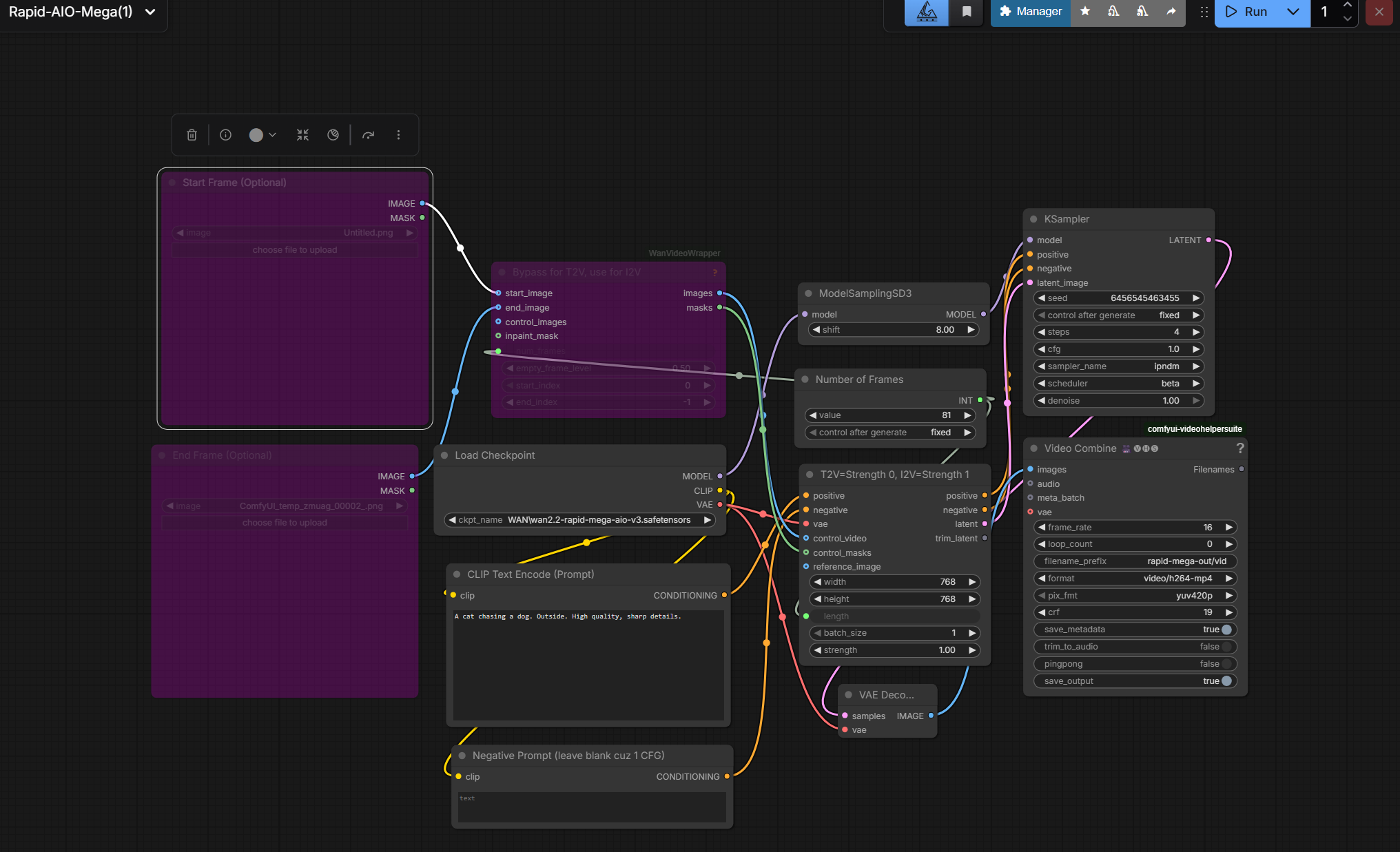
By default, the workflow generates a 5 second video (81 frames at 16 fps) 768x768 video from text. We need to enable generating from image.
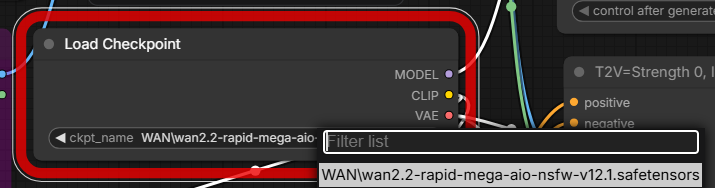
First, make sure the correct model version is loaded. (The workflow defaults to version 3 of that particular model series, but we want to select the version 12.1 that we just downloaded).
Next, click the specified icon to Unbypass the Start Frame and WanVideoWrapper boxes.
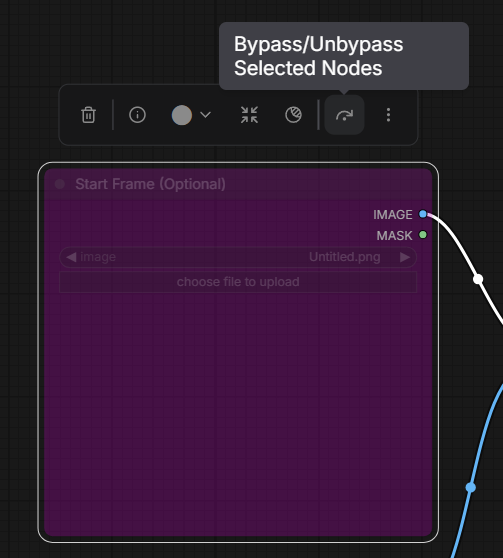
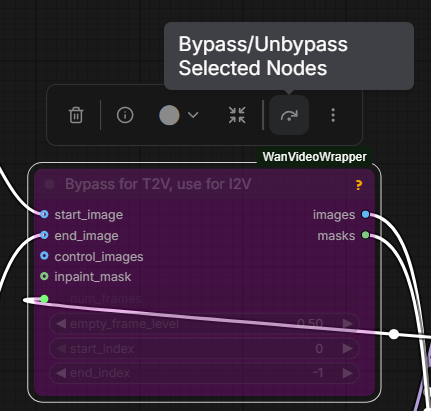
Then load a previously generated image from image model (or any other image) into Start Frame.
Don’t forget to change the prompt into something more interesting, like
a woman sitting on a bed squeezes her breasts with her hands. she smiles and blows a kiss at the camera. smooth and fluid motion, static camera, high quality, detailed lighting, consistent character identity, clean background, stable animation. High quality, sharp details.
Then click run:
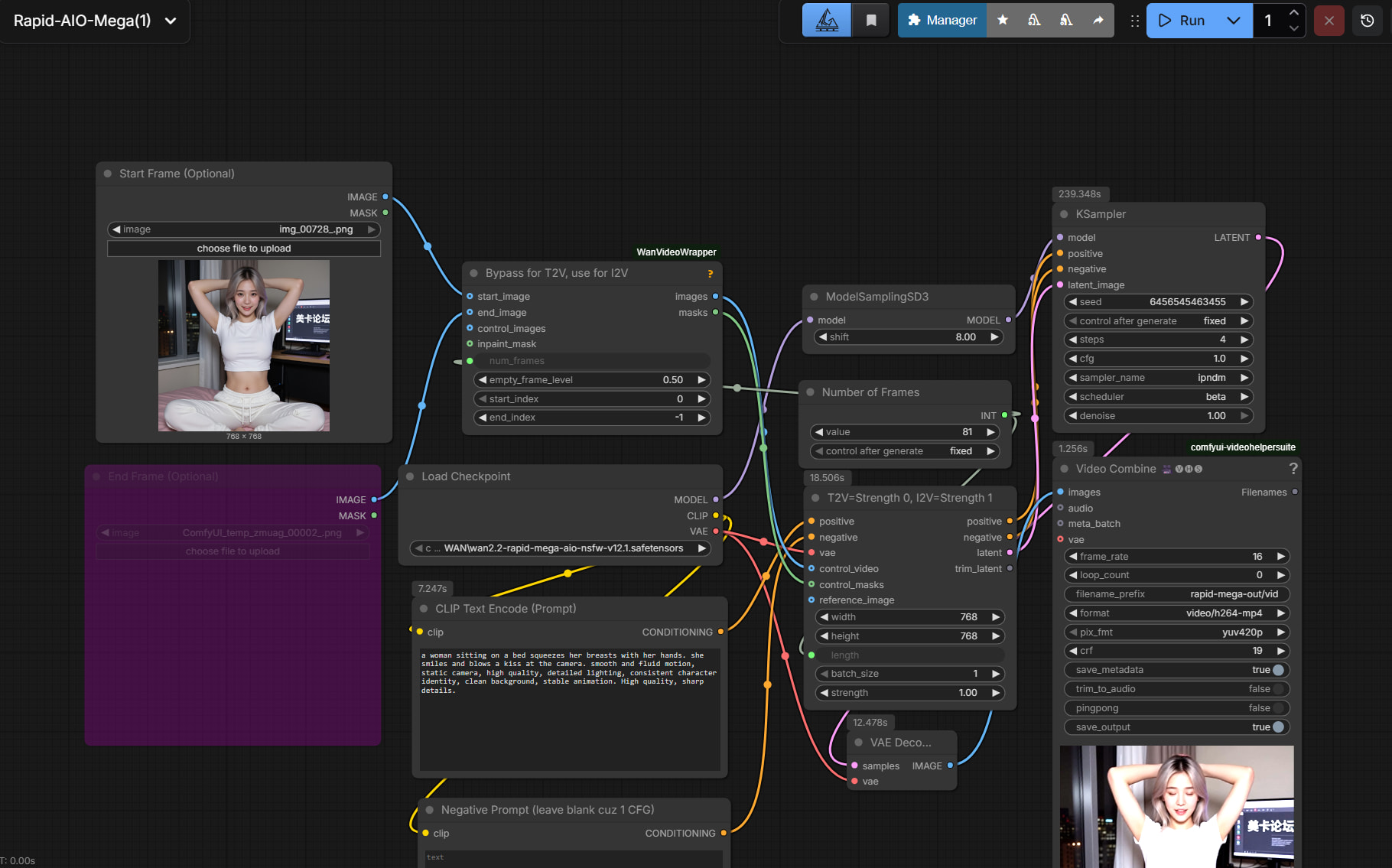
Note that video generation will take much longer. Also, I noticed that video generation time/VRAM requirements scale linearly with resolution, but quadratically with video length. It’s hard to go over 8 or 9 seconds even with 24GB VRAM.
Output:
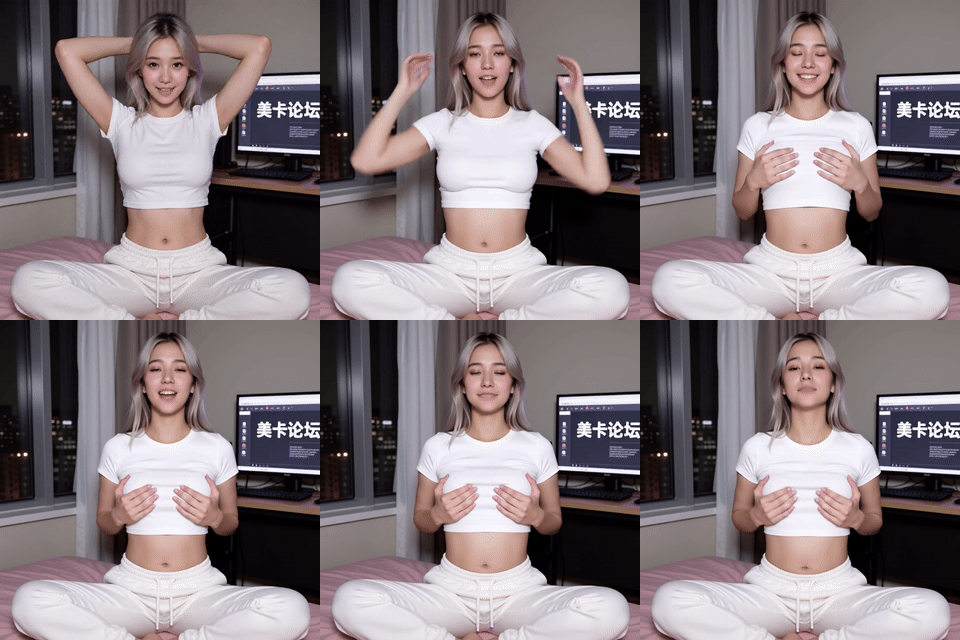
full version
That’s it for now. Thank you for reading, and please share your thoughts, tips, workflows, and best creations in this thread!
If this helped you and you want to help me, please tell me where I can buy a 5090 FE for MSRP. Thank you!

